
Tooltips
desain
Tooltips
Create tooltips for tokens that display when hovering over tokens using a custom tool.
Features
- 📝 Quickly create and preview tooltips for tokens
- 💬 Tooltips support all the same rich text features as native Owlbear Rodeo notes
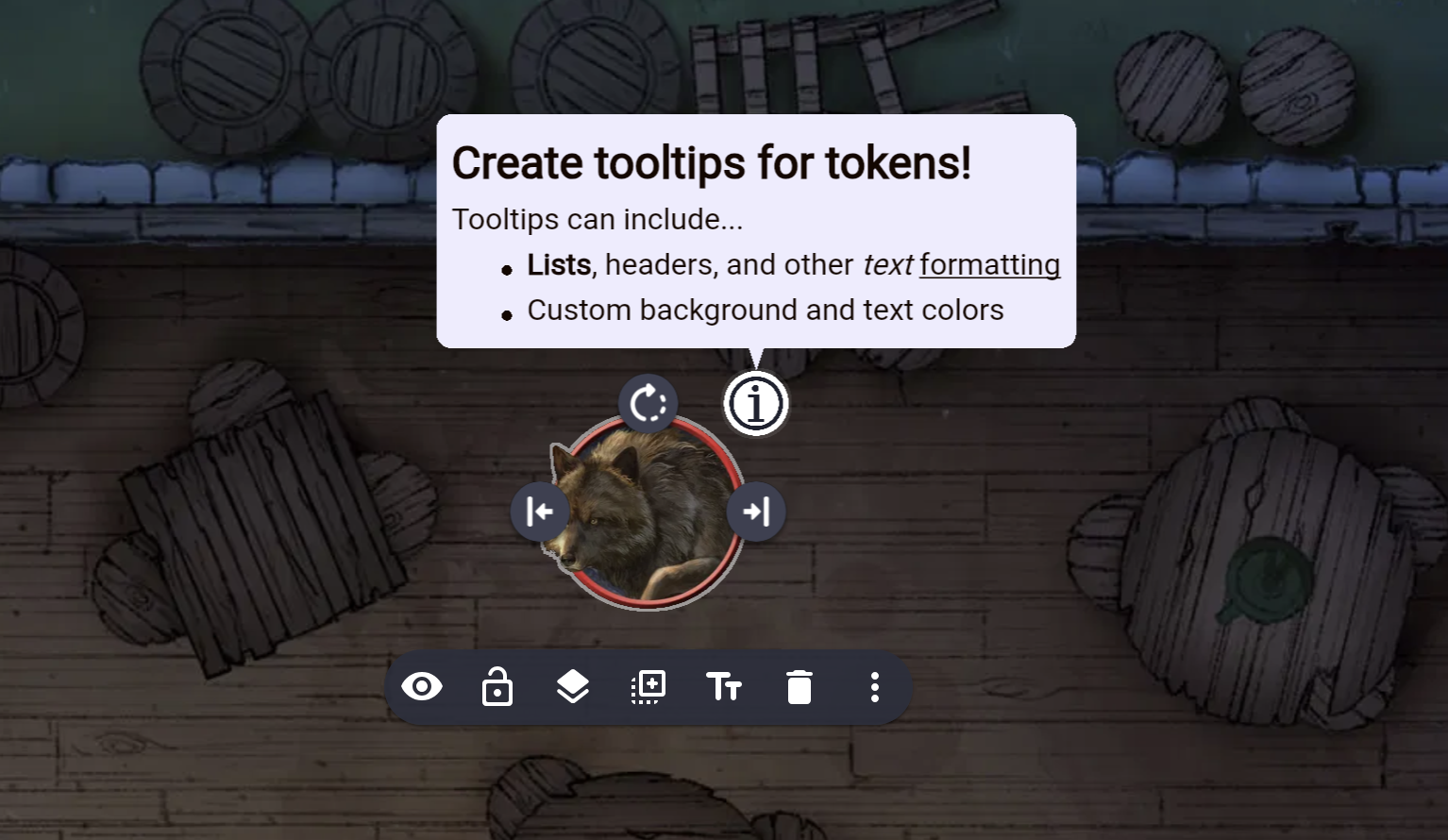
- 👉 View tooltips using the tooltip tool or by clicking an info icon while the token is selected
How to use
Install from the Owlbear rogue store.
This extension adds a new tool mode to the Text (T) tool.
While using this mode, click on a token to edit its tooltip. You can configure the tooltip appearance and visibility in the tooltip edit window.
Only tokens on non-map selectable layers can have tooltips added. Or, more precisely:
| Tooltip eligibility | Yes | No |
|---|---|---|
| Object type | Images (eg. tokens) | Drawings, Text, Rulers |
| Canvas layer | Drawing, Prop, Mount, Character, Attachment, Note, Text | Map, any layer not in the layer menu |
Once an item has a tooltip, you can hover over the item using the tooltip mode to preview the tooltip contents.
When an item has a tooltip, shift-click on it to temporarily display the tooltip to all everyone.
When you select a token that has a tooltip, an info icon will appear in the corner of the token. Click this icon to display the tooltip, and click it again to hide the tooltip.
If you're the GM, you can customize where the tooltip icon appears using the Tooltip Settings menu, so the icon doesn't overlap UI elements created by other extensions.
Support
If you need support for this extension you can message me in the Owlbear Rodeo Discord @Nick or open an issue on GitHub.