
Combat Tracker
Pulpscape
Combat Tracker
How to Use
Adding tokens to the tracker
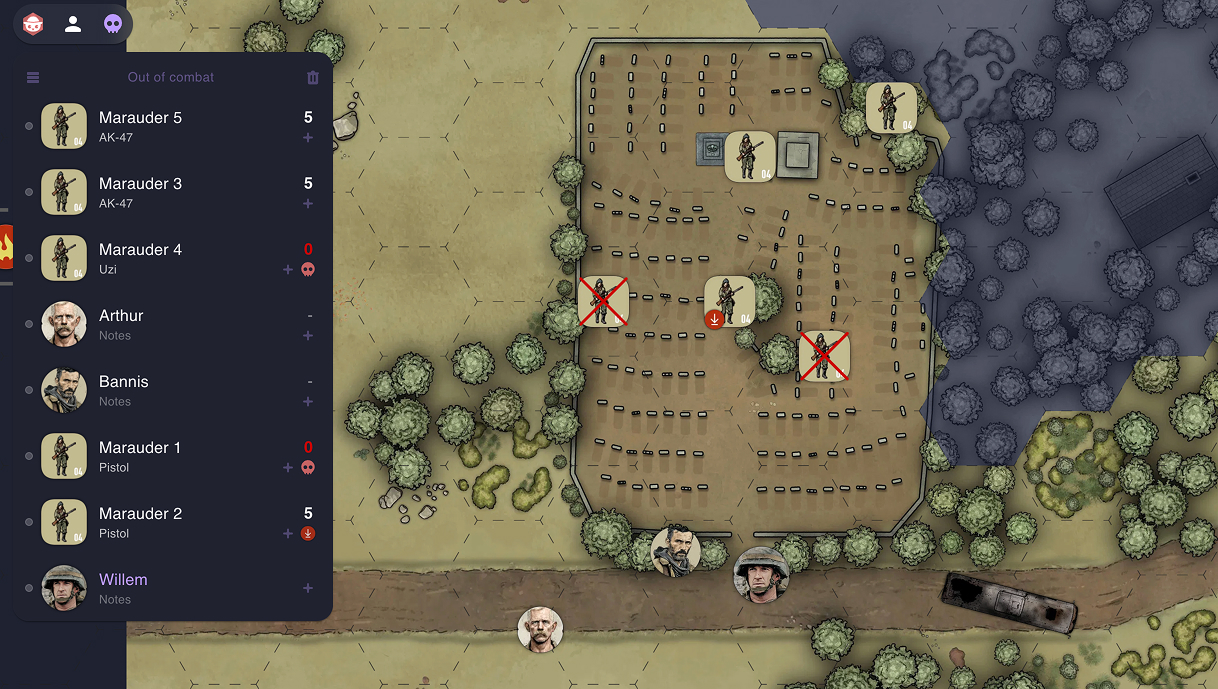
Select all tokens you want to add and use the Add token button on the popover, or select Add to Tracker* from the context menu.
Tracking HP for NPCs
Add a value to the field on the right side of the row to track a value (ie. HP) for NPCs.
Turn tracking during combat
Drag rows to reorder the list to reflect the turn order during combat. Dragging a row on top of another row swaps the places.
Initiate combat by clicking the button at the top of the list. Clicking the button advances the turn, or you can click the small turn indicator on any row.
Player tokens
Tokens that match a player name are visible in Player view.
Player view
Players can see only the player tokens on the tracker. During combat, NPC rows are collapsed into "GM" rows. Players can click rows to center their view and edit notes on player tokens.
Renaming tokens
You can easily rename tokens in the popover.
Which Bandit is this?
Selecting a token on the map highlights the character in the tracker.
Viewport centering
Clicking a character on the tracker centers the viewport on it. Shift + click centers and syncs the view with players.
'Dead' & custom condition markers
Use the Add (+) button in the tracker to mark the token Dead or add a custom condition marker. To add custom markers, create an item on your Scene named Character markers (case-insensitive) and Attach your own markers to it. It's a good idea to create a Prefab for your set of markers.
System-agnostic
I've opted to leave out initiative number -based sorting or labeling the row value to "HP" because the tracker is system-agnostic.