
Dark Torch
David Pinheiro
Dark Torch
Real-time torch timer for Shadowdark RPG, built for the Owlbear Rodeo virtual tabletop.
Dark Torch brings Shadowdark's one-hour torch mechanic directly into your online game. Track torch and light source duration in real time so everyone at the table always knows how much light is left.
Features
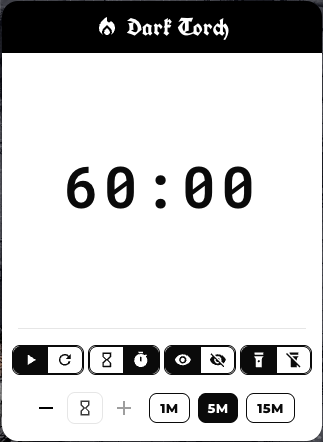
- Real-time torch countdown: Timer defaults to one hour, matching Shadowdark torch durations.
- Pause and resume: Pause the timer at any point and resume when the party moves again.
- Adjustable duration: Manually modify the remaining time to account for time passing in game.
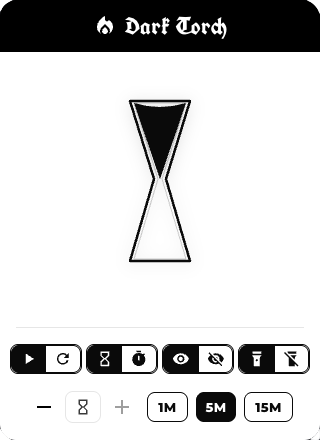
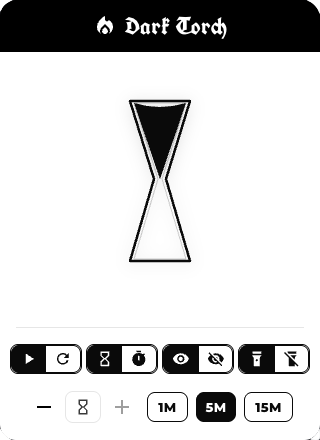
- Display modes: Choose between a clean numeric countdown or a thematic hourglass view.
- Visibility options: Show the timer only to the GM or to all players at the table.
- Permission controls: Restrict timer control to the GM or optionally allow players to manage it.
- Shadowdark-inspired style: UI is styled to evoke the look and feel of the Shadowdark core book.
How it works
- Start a torch timer that counts down one hour of real-world time.
- Use the controls to pause, resume, reset, or adjust the remaining time as needed.
- Switch between numeric and hourglass displays depending on your table's preference.
- Choose whether only the GM sees and controls the timer, or if the whole party does.
Using Dark Torch in Owlbear Rodeo
- Install the extension in Owlbear Rodeo by adding the manifest URL:
https://davrodpin.github.io/darktorch/manifest.json. - Open the Dark Torch popover from the Owlbear Rodeo extensions menu.
- Start the torch timer when the party lights a torch or other time-limited light source.
- Pause or adjust the timer whenever time passes in-game (rest, exploration, backtracking, etc.).
- Keep an eye on the countdown so you know exactly when the dungeon goes dark.
Screenshots
Support
For more information, updates, or to report issues, visit the project page:
https://github.com/davrodpin/darktorch